Manage ILP assignments
The ability to edit ILP assignments is dependent on its status. Refer to Filter ILP Assignments for information on statuses.
To add or edit an ILP assignment:
-
Do one of the following:
-
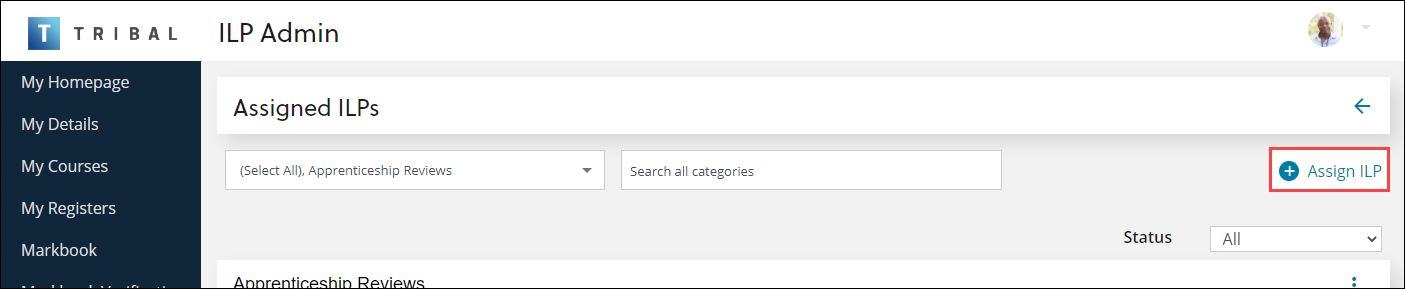
From the Assigned ILPs screen, select the Assign ILP button
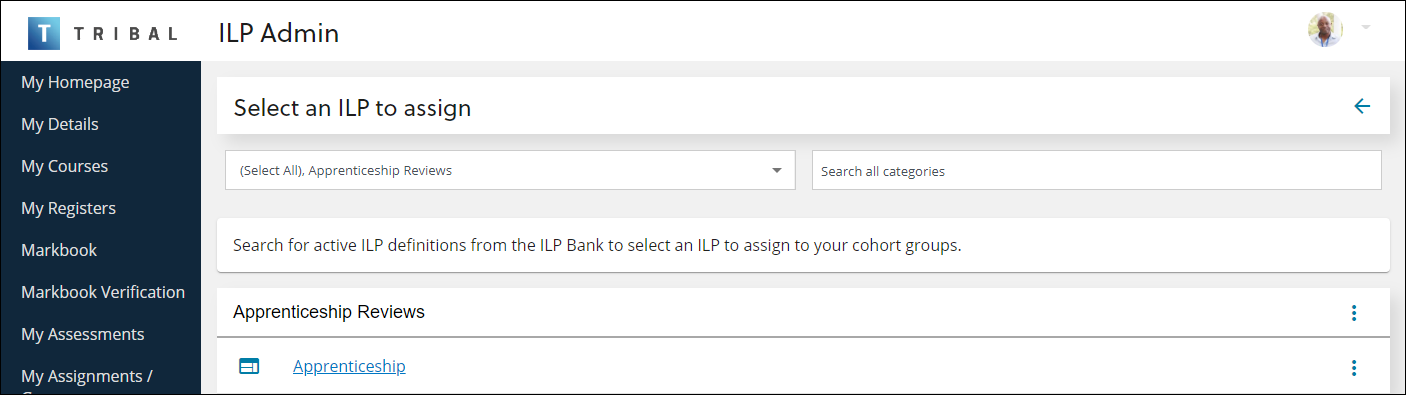
The Select an ILP to assign screen is displayed, where you can select the relevant ILP.
-
From the Assigned ILPs screen, select the ⋮ drop-down menu of the relevant record and then select the Edit option.
 Important.You can filter to locate a specific ILP assignment, if required.
 -
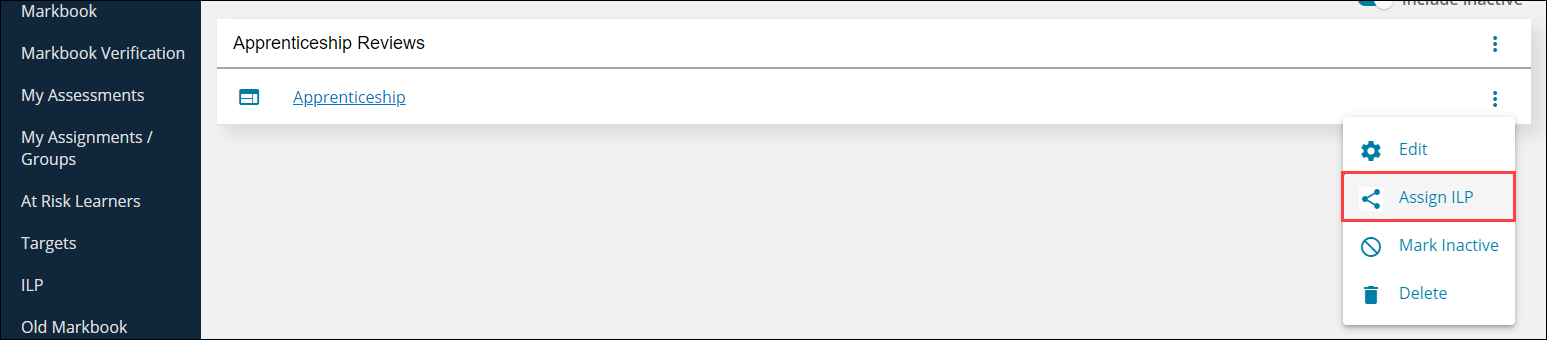
From the ILPs screen, select the ⋮ drop-down menu of the relevant record and then select the Assign ILP option.
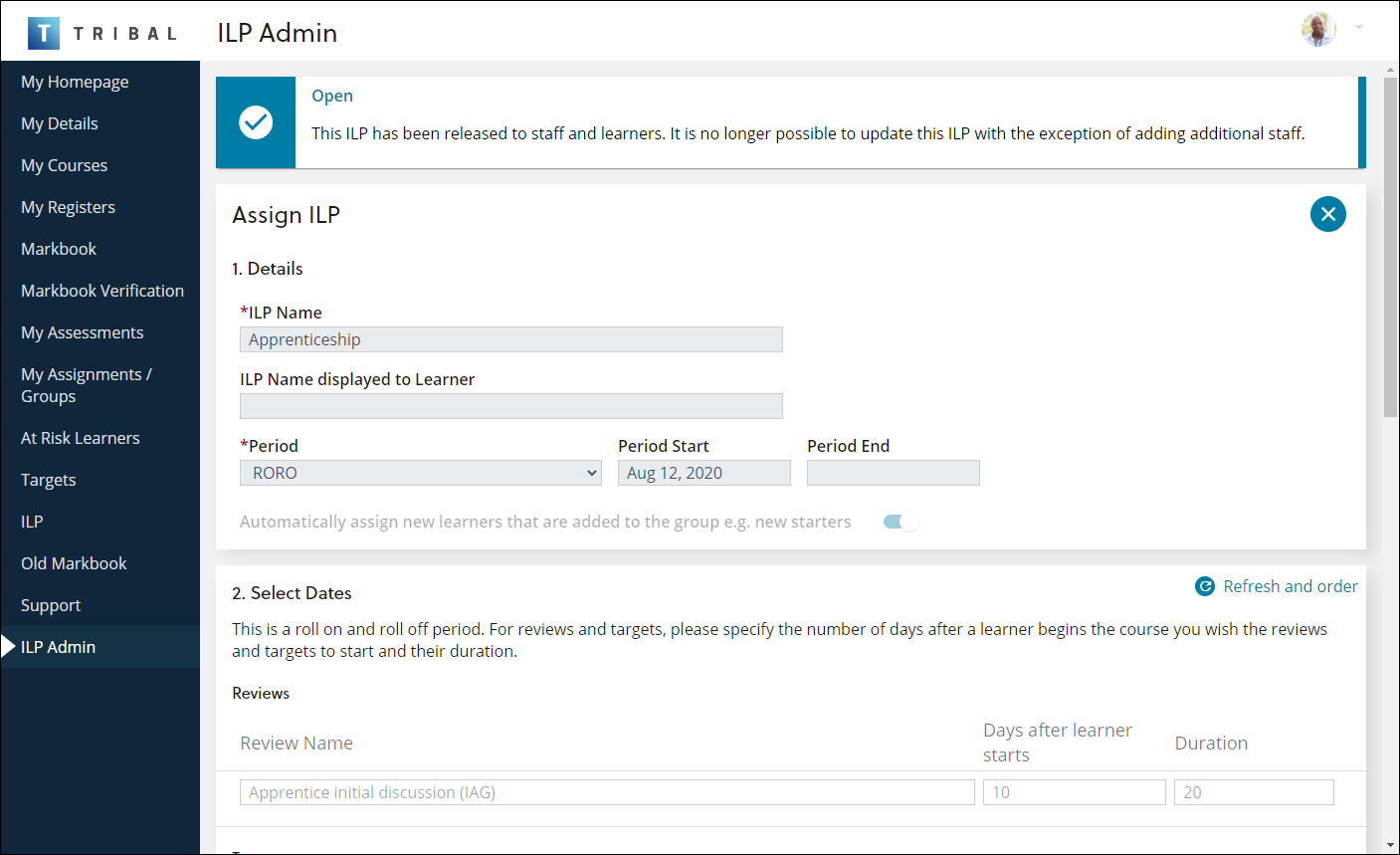
The Assign ILP screen is displayed.
-
- Enter or edit the relevant details on the following panels:
 Details
The fields in the Details section are described in the following table.
| This field | Holds this information... |
|---|---|
| ILP Name | The name of the ILP. This field is mandatory. |
| ILP Name displayed to Learner |
The name of the ILP when displayed to a learner. Important.The learner section of the Tribal ILP functionality is not currently available.
|
| Period | The period of the ILP. These can be defined on the Periods screen. |
| Period Start | The start date of the period. This is populated automatically and can only be edited on the Periods screen. This field is mandatory. |
| Period End | The end date of the period. This is populated automatically and can only be edited on the Periods screen. If this field is not populated, the period can be used to roll on and roll off the ILP as required. |
| Automatically assign new learners that are added to the group e.g. new starters | Whether to assign the ILP to learners that are added to the selected cohort groups after the ILP has started. |
Select Dates
Use this panel to set the start and end dates of reviews and targets. The names of the reviews and targets are generated automatically based on the ILP, but reviews can be renamed.
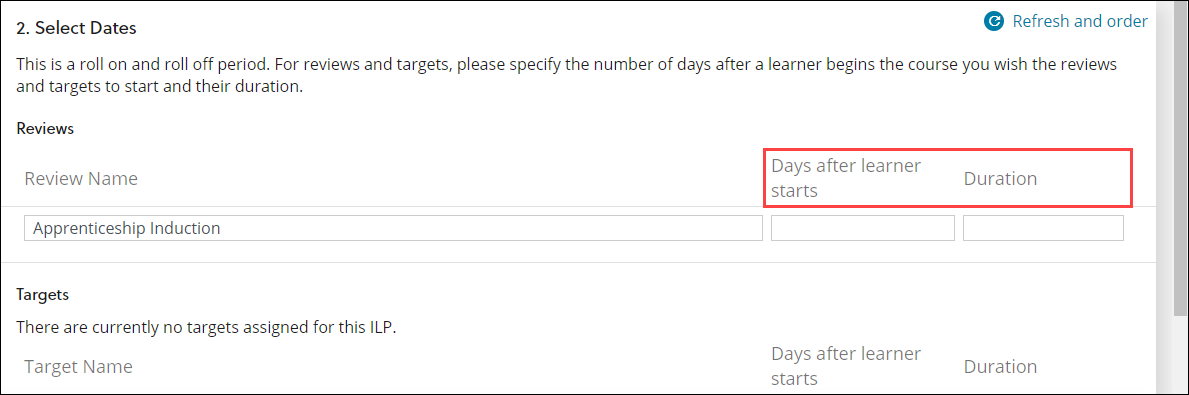
If the selected period is a roll on and roll off period (that is: a period with no end date), the Days after learner starts and Duration fields are displayed, where you can specify the number of days after a learner starts the course that you want the reviews and targets to start, and the number of days that the learner has to complete the review or target.
If the selected period has set start and end dates, the Start Date and End Dates are displayed and populated automatically with those defined in the period but can be edited.
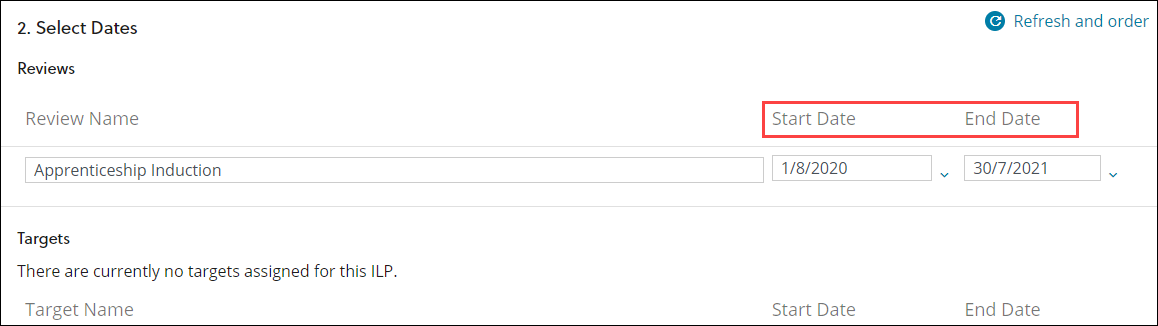
After editing the fields, you can select the Refresh and reorder button to reorder the reviews and targets in start date order.

Selected Cohort Groups
Use this panel to add or remove cohort groups to receive the ILP. These are defined on the Groups screen.
To add cohort groups:
-
Select the Add Cohorts to Include button.

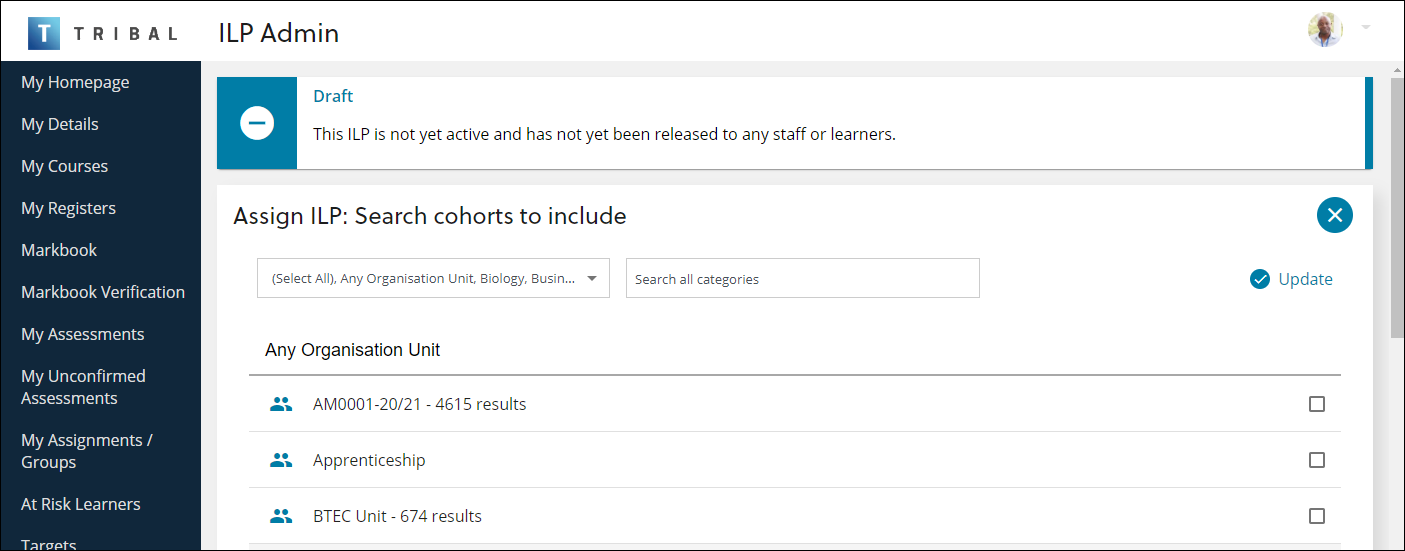
The Assign ILP: Search cohorts to include screen is displayed.
-
Use the filter fields to select the category to which the group belongs, or search for a group name.
-
Select and deselect the check box of the relevant groups.
-
Select the Update button.

The Assign ILP screen is displayed with the group changes.

Excluded Cohort Groups
Use this panel to add or remove cohort groups that will not receive the ILP. These are defined on the Groups screen.
To exclude cohort groups:
-
Select the Add Cohorts to exclude button.

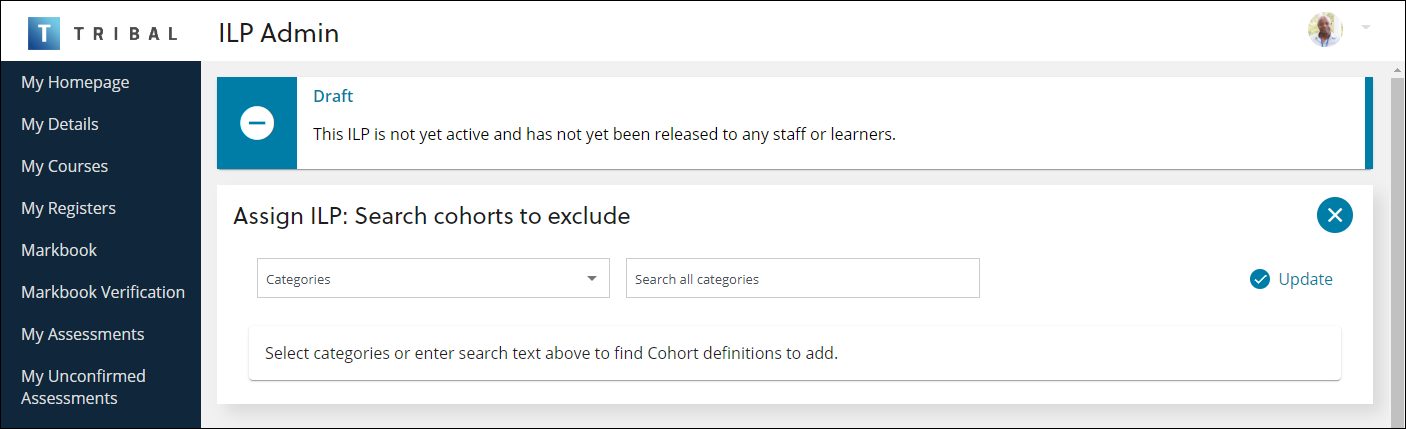
The Assign ILP: Search cohorts to exclude screen is displayed.
-
Use the filter fields to select the category to which the group belongs, or search for a group name.
-
Select and deselect the relevant groups.
-
Select the Update button.

The Assign ILP screen is displayed with the group changes.

Automatically Assign ILP Staff
Select the following assignment rules as appropriate:
-
Assign by UIO Learner Groups (All roles) - this checks the 'Groups (EBS4)' field on the Enrolment Details tab of a learner's enrolment, and then assigns the associated staff members for that group from the Groups node in a UIO.
-
Assign by UIO Staff (ILP Role) - this checks the Staff node in a UIO and assigns any staff who have a Type of 'ILP Staff'.
-
Assign by Enrolment Staff (Supervisor role) - this checks the Supervisor field on the Enrolment Details tab of a learner's enrolment and assigns that staff member, if the field is populated
-
Assign by Registers - this adds teaching and support staff to the learner's ILP for the relevant cohort groups
-
For this feature to work the ILP check box must be selected in Reference Data, Person Functions for the appropriate role.
-
Note that the following rules apply:
-
The Assign by UIO Learner Groups (All roles) and Assign by UIO Staff (ILP Role) options use the following UIO-specific cohort groups filters, which limit the staff which are returned:
-
Course Class Name
-
Course Code
-
Course Level
-
Qualification Type
-
Tutor Group.
-
-
When using a cohort group which only uses a Tutor Group as a filter (and any other non-UIO-related filters), then:
-
For the Assign by UIO Learners Groups (All roles) option, staff are assigned from the tutor group as defined by the cohort filter
-
For the Assign by UIO Staff (ILP role) option, staff are assigned from the UIO level, but only the UIO that is considered in the Tutor Group cohort filter
-
-
The Assign by UIO Learner Groups (All roles) and Assign by UIO Staff (ILP Role) options, when using a cohort group which uses a Tutor Group filter and other UIO-related filters, all UIOs used in the filters are considered.
-
Cohort groups that use any of the following filters limit the Assign by UIO Learner Groups (All roles) and Assign by UIO Staff (ILP Role) options to UIOs that are considered in the cohort filters:
-
Course Class Name
-
Course Code
-
Course Level
-
Qualification Type
-
Tutor Group.
Enrolments that learners have that are not included in the criteria of the cohort group are not considered for assigning staff with these two options.
-
-
In the instance that multiple cohort groups are used (for example: one limited by UIO and one not limited by UIO) then the learners in the UIO-limited group will have only their specified enrolments checked, whereas learners in a non-UIO limited group will have all of their enrolments checked for relevant staff.
-
The Assign by Registers option requires the following:
• The learner must be enrolled on at least one course in the current academic year.
• The learner must be enrolled on at least one course UIO register event(s) in the current academic year.
• The learner must have at least one active slot on a register event(s) on the current date and/or a future date.
• The staff member(s) must have at least one active slot on a register event(s) on the same date as the learner.
• The staff member(s) must have a person function where ILP = ‘Y’.
Assigned Staff
You can use the Assigned Staff panel to manually add staff members to the ILP.
To add staff:
-
Select the Assign Staff button.

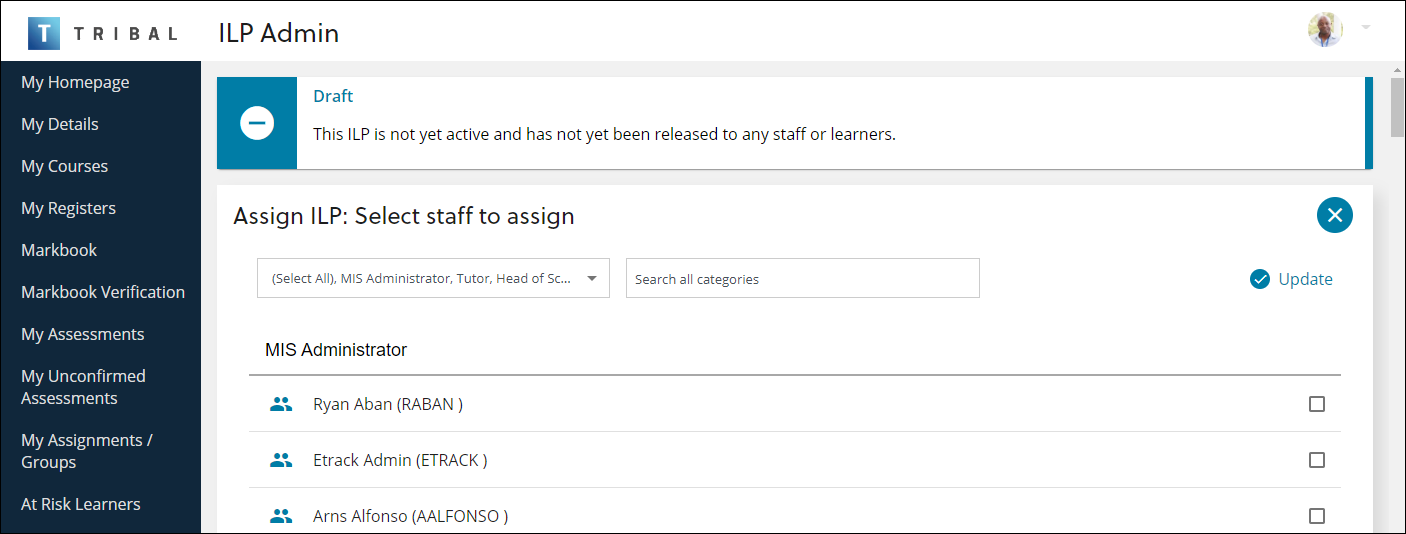
The Assign ILP: Select staff to assign screen is displayed.
-
Use the following filters as required:
-
Categories drop-down - use this field to select the EBS Ontrack primary roles of the required staff member(s)
-
Search all categories - use this field to enter the name or person code of the staff member
-
-
Select the check box of the relevant staff member(s).
-
Select the Update button.
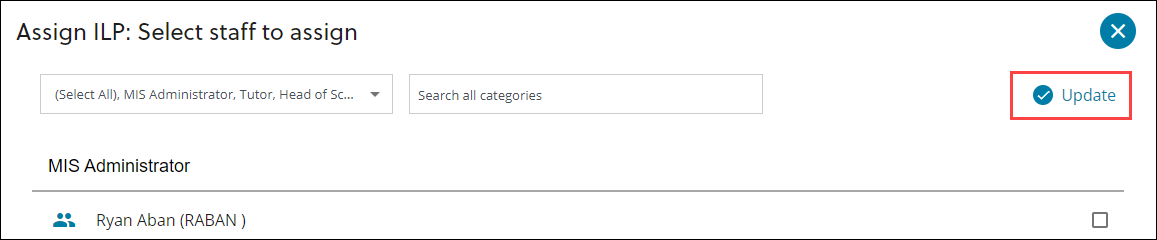
The Assign ILP screen is displayed with the staff changes.

-
Do one of the following:
-
If you are not ready to submit the ILP, select the Save as draft button.
-
If you are ready to submit the ILP, select the Submit for release button.
-
If you have already submitted the ILP, select the Update staff button.
-